On this page
Key takeaways
- Only dynamic QR codes can be tracked: scans pass through a short link that counts them.
- Use one code per placement, named clearly and grouped in a folder per campaign.
- Compare unique scans, not just totals, and use the time heatmap to plan offers and staffing.
- Add UTM tags to the destination to follow scanners into Google Analytics.
How QR code tracking works
A dynamic QR code contains a short link, such as qr-10.com/r/aB3dE7k. When someone scans it, the short link records the scan (the time, the device and its settings, and the approximate location) and forwards them to your page in a fraction of a second. A static code opens your page directly, so there is nothing in between to count scans. That is the main reason to choose dynamic; see static vs dynamic QR codes.
Set up a campaign you can measure
1. One code per placement
The most useful thing tracking can do is compare. If the window poster, the counter card and the flyer share one code, you only learn the total. Give each its own dynamic QR code and you learn which one works.
2. Name codes so you can read the report
Use names that say where and when: “Window poster, Oct”, “Flyer drop, Anna Nagar”, “Table tents”. A report full of “QR code 7” is useless in a month.
3. Group them in a folder
Put a campaign’s codes in one folder, so you can see the campaign as a whole and each placement inside it. For many placements at once, the bulk QR code generator is a quick start.
Same design, different codes
Reading your scan analytics
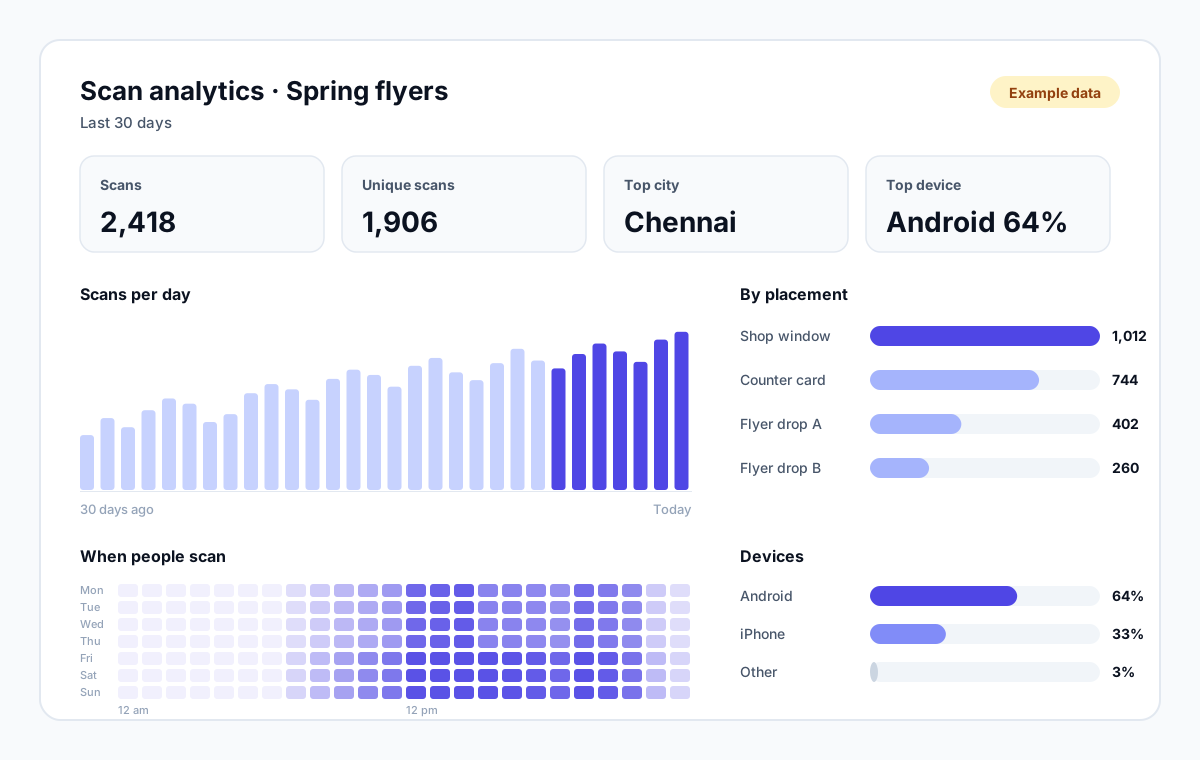
| Metric | What it tells you | Use it to |
|---|---|---|
| Scans over time | How interest changes day by day | See what a new placement or offer changed |
| Unique scans | How many different people scanned | Compare placements fairly |
| Day × hour heatmap | When people scan | Time offers, posts and staffing |
| Devices and OS | iPhone vs Android, phone vs tablet | Test your page on the phones that matter |
| Countries and cities | Where scans come from | Spot travel, packaging and regional reach |
| Languages | The language scanners’ phones use | Decide whether to translate the page |
| Top QR codes | Which codes get the most scans | Move budget to what works |
On QR-10 all of this is included on the Free plan, with CSV export and weekly or monthly email reports. See QR code tracking and scan analytics for the full list.
Going further: UTM tags and conversions
Scan analytics tell you how many people scanned. To see what they did next, such as buying or signing up, add UTM tags to the destination link so Google Analytics knows the visit came from print:
- utm_source: where it was printed, for example window-poster.
- utm_medium: qr, so all QR visits group together.
- utm_campaign: the campaign name, for example diwali-2026.
Long tagged links make a static code dense and hard to scan. With a dynamic code the printed pattern stays a short link, however long the tagged destination is, and you can fix the tags later.
Mistakes that ruin your data
- One code everywhere. You get a total, but can’t tell which placement worked.
- Counting your own tests. Every scan counts, including yours while setting up. Note the date you launched.
- Judging too early. A week of data is noise. Compare placements over a few weeks, ideally on the same days.
- Ignoring the destination. If many people scan but few act, the problem is usually the page, not the code.
Don’t track people, track placements
Campaign tracking checklist
- 1List the placements you want to compare.
- 2Create one dynamic code per placement, with a clear name, in a campaign folder.
- 3Add UTM tags to each destination if you use Google Analytics.
- 4Print, place, and note the launch date.
- 5After two to four weeks, compare unique scans per placement and move the weakest code.
Ready? Create a free account and track your first three codes free, with unlimited scans.